

A Practical Comparison for Entrepreneurs Building a Signage Business
If you’re starting or growing a small sign business, you’ve almost certainly hit this question: should your first major equipment investment be a laser cutter or a CNC router? Both machines show up constantly in successful sign shops. Both can produce beautiful, sellable signage. And both have passionate advocates online telling you their choice is obviously correct.
The honest answer is that it depends entirely on what kind of signs you plan to sell—and this guide will help you figure out exactly that, with real specifics rather than vague generalities.
The Core Difference: How Each Machine Actually Works
Before comparing capabilities, it helps to understand the fundamental difference in how these machines create signage.
Laser Cutters/Engravers: Use a focused beam of light to cut through or engrave the surface of material. The laser vaporizes or burns material away with no physical contact between tool and workpiece.
CNC Routers: Use a physical spinning bit (like a drill bit) to mechanically cut, carve, or hollow out material. The router bit makes direct physical contact with the material.
This fundamental difference in process is what drives nearly every practical distinction between the two machines for sign-making purposes.
Material Capability: Where Each Machine Wins
What Lasers Handle Best
Excellent For:
- Acrylic (cuts with a beautiful polished edge, no secondary finishing needed)
- Thin to medium wood (up to roughly 1/2″ with a powerful machine, thinner more reliably)
- Cardboard, paper, and foam board for proofs, templates, and temporary signage
- Rubber and gasket material for stamps or seals
- Anodized aluminum and coated metals (engraving only, not cutting)
- Two-tone/laminate plastics (engraving reveals a different color layer underneath—ideal for ADA and interior signage)
Where Lasers Struggle:
- Solid wood thicker than about 3/4″ (extremely slow, if possible at all, and often needs multiple passes)
- Reflective or bare metal (can’t cut it, and reflection can even be a safety hazard)
- PVC and vinyl (releases toxic chlorine gas—never cut this on a laser)
- Very large format work (most affordable lasers cap out around 4′ x 4′ or smaller)
What CNC Routers Handle Best
Excellent For:
- Thick, solid wood and hardwoods (dimensional signage, carved wood signs)
- HDU (High-Density Urethane) foam—the sign industry’s go-to material for dimensional, sandblasted-look signage
- PVC/Sintra and other sign-industry plastics (cannot be safely laser cut, but CNC routers handle it easily)
- Aluminum composite material (ACM/Dibond), a hugely popular sign substrate
- Large-format work (many CNC routers handle 4′ x 8′ full sheets natively)
- Dimensional letters and deep relief carving
Where CNC Routers Struggle:
- Very thin or delicate materials (can chip, crack, or shift during cutting)
- Extremely fine detail work (router bit diameter limits how small/intricate a cut can be compared to a laser)
- Edge finish quality on some materials (acrylic edges from a router often need to be flame-polished or sanded afterward, unlike a laser’s clean edge)
The Sign Industry Reality: Most Successful Shops Eventually Own Both
Here’s something worth being honest about upfront: most established, multi-service sign businesses eventually own both a laser and a CNC router, because the material range of the sign industry genuinely spans what each machine does best.
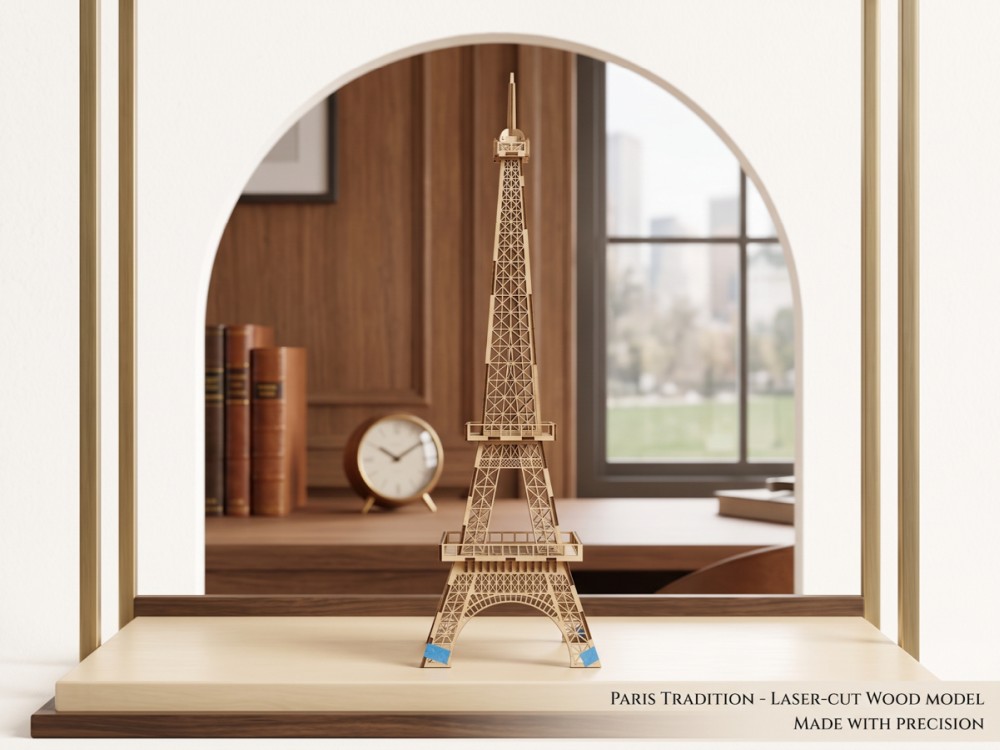
But almost nobody starts with both. The real question for a small or new business is which one to buy first, based on the specific signage niche you’re planning to serve.
Decision Framework: What Signs Are You Actually Selling?
If You’re Focused On: Interior Signage, ADA/Wayfinding, Small Business Branding
Buy a laser first.
This niche is laser territory almost entirely:
- ADA-compliant signage (Braille + raised text) is a laser specialty, especially with two-layer laminate materials
- Office nameplates, directional signs, and door signs are typically acrylic or laminate—ideal laser materials
- Small, detailed logos and branding elements benefit from laser precision
- Fast turnaround on small orders is a laser strength (no bit changes, minimal setup between different small jobs)
Typical Products: Door signage, ADA room signs, acrylic awards, engraved nameplates, small business logo signs, menu boards
If You’re Focused On: Dimensional Exterior Signage, Monument Signs, Carved Wood Signs
Buy a CNC router first.
This niche is CNC territory almost entirely:
- HDU foam dimensional letters and logos require a router
- Large monument or entrance signage is typically PVC, HDU, or ACM—all router materials
- Carved or sandblasted-look wood signage (cabins, businesses, real estate) is a router specialty
- Large format outdoor signage generally exceeds laser bed sizes
Typical Products: Dimensional business signs, HDU foam letters, carved wood entrance signs, real estate signage, monument signage
If You’re Focused On: Custom/Personalized Products, Awards, Small Business Gifts (Sign Business as Part of a Broader Product Mix)
Buy a laser first.
If signage is one piece of a broader personalization or custom product business (which describes a huge number of small sign shops that also do awards, gifts, and promotional items), the laser’s versatility across many small materials makes it the more flexible first investment, and it opens revenue streams beyond signage entirely.
If You’re Focused On: Full-Service Sign Shop From Day One (Well-Funded Startup)
Consider both, but sequence the purchase.
If you have the capital and a clear business plan spanning both interior and exterior/dimensional signage, buying a mid-range laser first (lower cost, faster ROI on common jobs) and adding a CNC router within 6-12 months once cash flow supports it is a common, sensible sequencing many successful shop owners describe in hindsight.
Cost Comparison: What You’re Actually Looking At
Laser Cutters for Sign Work
Entry-Level (60-80W CO₂): $4,500-$7,500
- Handles the majority of interior/small signage work
- Working area typically 20″x28″ to 24″x36″
Production-Level (100-130W CO₂): $8,000-$15,000
- Faster cycle times for volume work
- Larger working areas available (up to roughly 4’x4′)
CNC Routers for Sign Work
Entry-Level Hobbyist/Small Business (small bed, lower power): $3,000-$8,000
- Often smaller working areas (2’x2′ to 2’x4′)
- Suitable for smaller dimensional letters and signage components
Production Sign Shop CNC (4’x8′ bed, full sheet capacity): $12,000-$30,000+
- Handles full sheet goods without repositioning
- Necessary for genuine monument and large dimensional sign work
- Significantly larger footprint and power requirements
Important Cost Note: A genuinely capable “full sheet” CNC router—the kind that lets you cut a full 4×8 sheet of HDU or ACM in one setup, which is often what real dimensional sign work requires—typically costs meaningfully more than a comparably capable laser. Small-bed CNC routers exist at laser-competitive prices, but they can’t handle the large-format work that’s often the actual reason someone wants a CNC in the first place.
Speed and Workflow Differences
Laser Workflow Advantages
- Minimal changeover between jobs—no bit changes, simple material swaps
- Faster on thin material and detailed work
- Cleaner process (less dust, though ventilation for fumes is still essential)
- Software learning curve is generally gentler for beginners
CNC Workflow Advantages
- Can process much thicker material in a single pass
- Handles full sheet goods efficiently, reducing material waste through smart nesting
- No material thickness limitation on cutting (within the machine’s Z-axis travel)
- Bit changes allow one machine to do roughing cuts, fine detail, and V-carving with different tooling
CNC Workflow Considerations
- Requires more hands-on tooling knowledge (bit selection, feeds and speeds, tool changes)
- Dust collection is a serious, non-optional investment—router dust volume is far greater than laser byproduct
- Slightly steeper learning curve for CAM software and toolpath strategy
- More physical setup per job (workholding, tabs, bit selection)
Revenue Potential by Machine Type
Laser-Focused Sign Business Revenue Examples
ADA/Interior Signage Specialist:
- Average order: $150-$400 (multi-sign packages for offices)
- Material cost: 15-20% of sale price
- Fast turnaround supports high order volume
Custom Acrylic/Award Business:
- Average order: $50-$200
- High margin (60-75%) due to low material cost relative to price
- Strong repeat business from corporate clients
CNC-Focused Sign Business Revenue Examples
Dimensional/HDU Sign Specialist:
- Average order: $800-$5,000+ (business exterior signage, monument work)
- Material cost: 20-30% of sale price
- Lower volume, significantly higher per-job revenue
Real Estate/Development Signage:
- Average order: $300-$1,200
- Often recurring business from real estate agencies and developers
- Larger material costs but strong margins on volume contracts
The Honest Comparison: CNC-focused dimensional signage often carries a higher revenue ceiling per job, but typically requires more capital investment, more physical space, and a longer sales cycle for larger commercial clients. Laser-focused signage tends to have lower per-job revenue but faster turnaround, lower overhead, and quicker path to consistent cash flow—which matters enormously for a new business.
Space, Power, and Infrastructure Requirements
Laser Requirements
- Moderate footprint (many desktop-class machines fit in a spare room or small studio)
- Standard electrical (most machines run on standard 110V/15-20A circuits; higher-power machines may need 220V)
- Exhaust ventilation to exterior is essential
- Minimal dust management (some residue, but not comparable to routing)
CNC Router Requirements
- Significant footprint, especially for full-sheet capable machines (a 4×8 machine needs substantially more room than just its bed size, for material handling and operator access)
- Often requires 220V power, sometimes three-phase for larger production machines
- Serious dust collection system is mandatory, not optional—this is a real budget line item, often $1,000-$3,000+ for an adequate system
- Generally louder operation than a laser
Skills and Learning Curve
Learning to Use a Laser Effectively
Most new laser owners reach reasonable competency within a few weeks of regular use:
- Software (commonly LightBurn) has a relatively approachable learning curve
- Settings are largely about power/speed/passes—fewer physical variables than CNC tooling
- Mistakes are usually less costly (less material wasted per failed attempt on typical small jobs)
Learning to Use a CNC Router Effectively
CNC routing typically has a longer path to full competency:
- Requires understanding of CAM software, toolpaths, feeds and speeds
- Bit selection and tool wear management is an ongoing skill
- Workholding strategy (clamps, tabs, vacuum tables) requires hands-on experience
- Mistakes can be more costly (a full sheet of HDU or ACM represents more material investment than typical laser stock)
Neither is prohibitively difficult, but businesses considering CNC should budget more time (and likely more scrap material) for the learning phase.
Making Your Decision: A Practical Checklist
Ask yourself these questions to identify your starting machine:
Choose a Laser First If:
- Most of your planned signage is interior, small-format, or personalized
- You want to offer signage alongside other products (awards, gifts, promotional items)
- Your available space or budget is more limited
- You want a faster path to consistent revenue on smaller jobs
- ADA compliance signage is part of your target market
Choose a CNC Router First If:
- Your business plan centers on dimensional, exterior, or monument signage
- You have existing relationships or contracts requiring HDU, ACM, or thick substrate work
- You have adequate space and budget for dust collection infrastructure
- Your target clients (developers, real estate, business exteriors) typically need large-format work
- You have capital for a genuinely production-capable machine (small CNCs often disappoint sign business owners who need full-sheet capacity)
The Case for Starting With a Laser (Our Honest Take)
If you’re a new sign business without an existing client base already demanding dimensional exterior work, there’s a strong practical case for starting with a laser:
Lower barrier to entry: Less capital required to get a genuinely capable machine, and less infrastructure investment (no major dust collection system required).
Faster revenue cycle: Small, fast-turnaround jobs help new businesses build cash flow and reputation more quickly than waiting on larger commercial dimensional sign contracts.
Broader product range: A laser lets you diversify into awards, personalized gifts, and small business promotional products—valuable flexibility while you’re still building your signage client base specifically.
Gentler learning curve: You’ll be producing sellable work faster, which matters when you’re trying to generate revenue from month one.
Many successful sign business owners who eventually own both machines specifically describe starting with a laser, building revenue and a client base, and adding a CNC router once they had contracts or demand that specifically justified the larger investment.
When to Add the Second Machine
Watch for these signals that it’s time to expand into CNC (if you started with laser) or laser (if you started with CNC):
Add CNC If:
- You’re regularly turning away dimensional or large-format signage requests
- Clients are asking for HDU or thick substrate work you can’t currently produce
- You’re subcontracting dimensional work to competitors and losing margin
Add Laser If:
- Clients want smaller, detailed interior signage alongside your dimensional work
- You’re seeing demand for personalized products or awards you can’t efficiently produce with routing alone
- Small job turnaround times are hurting customer satisfaction
A Note on Hybrid and Combo Machines
Some manufacturers offer combination or hybrid machines advertising both laser and routing capability in one unit. For most serious small sign businesses, dedicated single-purpose machines tend to outperform combo units in practice—each process (laser and routing) has different infrastructure needs (ventilation vs. dust collection, different bed/gantry requirements) that are difficult to fully optimize in a single hybrid platform. If you’re seriously evaluating a combo machine, look closely at whether it fully replicates the capability of dedicated machines, or whether it’s a compromise on both fronts.
Getting Started: OMTech Laser Options for Sign Businesses
If your decision points toward starting with a laser, here’s how OMTech’s range maps to sign business needs:
Starting Out / Interior Signage Focus: OMTech Polar Series (50-60W) — Suitable for ADA signage, nameplates, acrylic awards, and small business branding work at accessible entry pricing.
Final Thoughts: There’s No Universal Right Answer
The laser-vs-CNC debate persists online because both machines are genuinely excellent at what they do—they’re just built for different jobs. The right first purchase for your sign business depends entirely on the specific signage niche you’re targeting, your available capital and space, and how quickly you need to generate revenue.
Rather than asking “which machine is better,” the more useful question is: “What are my customers actually going to order from me in year one?” Let that answer, honestly assessed, guide your first investment. You can always add the second machine once real business demand—not speculation—tells you it’s time.